
September 30, 2026 | Ansalon Dragonlance MUD Updates
September brought some pretty big changes to Ansalon!
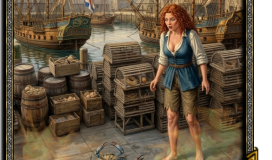
Fishing is now part of our growing Crafting system, Butchery has become a full profession, and adventurers can turn animal corpses into useful cuts of meat.
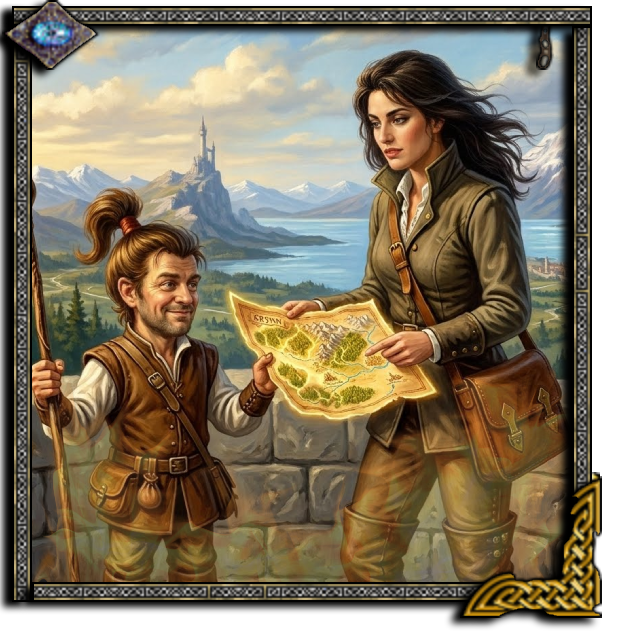
We’ve also welcomed back two legendary cartographers, Brim and Kaelay, with a new way to explore entire areas of Krynn.
And for players using SPEEDWALK, especially those with screen readers, we’ve made traveling a whole lot quieter.
Let’s get into it!
CRAFTING: Butchery Is Live! Turn Your Hunts Into Something Useful
Ever kill a deer, bear, or other animal and wonder why you couldn’t do more with the corpse?
Well, now you can!
BUTCHERY is officially live in Ansalon Dragonlance MUD.
Instead of leaving animal corpses behind, you can butcher them into useful cuts of raw meat.
Depending on the creature, you may be able to produce steaks, ribs, fillets, haunches, and other cuts.
How to Butcher an Animal
First, find a suitable corpse.
To see what cuts are available, type:
BUTCHER <corpse> LIST
Then select the cut you’d like to make:
BUTCHER <corpse> <cut>, or just BUTCHER CORPSE (all of them)
The available cuts depend on the animal you’re working with.
Not every creature has the same anatomy, after all.
And we probably shouldn’t be finding chicken wings on a bear.
Your Skill and Wisdom Matter
Butchery isn’t just a command that produces the same result every time.
Your Butchery Craft level and Wisdom affect what you can butcher and the quality of the meat you produce.
As you practice, you’ll earn Butchery experience and improve your abilities.
Better cuts and higher-quality meat can also be worth more when sold to food shops.
So hunting can now provide more than just combat experience and loot.
STOP Long Actions
Butchering takes time.
If you need to interrupt it, the STOP command now cancels long-duration actions, including skinning and butchering.
Handy when something decides to attack while you’re preparing dinner.
Fishing Now Earns Crafting Experience!
Fishing has received another major improvement.
Every fish you catch can now help improve your Fishing Craft.
Instead of fishing being only about catching something useful, it’s now part of Ansalon’s growing crafting progression system.
The more you practice, the more experience you can earn.
To check your crafting progress, type:
CRAFT EXPERIENCE
This shows the crafts you’ve discovered and your experience in them.
Unlock Butchery at Fishing Craft Level 5
Once you reach Fishing Craft level 5, you’ll gain access to Butchery and can start turning your catch into bait.
That gives fishing a natural progression:
Catch fish, improve your craft, and learn to make better use of what you catch.
Make Your Own Fishing Bait
Why buy all your bait when you can make it yourself?
You can now turn fish into bait of different sizes.
The basic command is:
MAKE BAIT <fish> <size>
For example:
MAKE BAIT FISH HUGE
Different fish and bait sizes produce different amounts of usable bait.
Your tools matter too.
A proper fillet or skinning knife can help you get more bait from your catch.
And making bait earns Butchery Craft experience.
So even when you’re not hunting animals, you can continue working on your Butchery profession.
Catch it. Cut it. Use it. 🙂
Skinning Gets an Overhaul
Skinning has also received some attention.
You can now skin animal corpses using several types of suitable blades, including skinning knives, sharp or vorpal daggers, and skinning-style weapons.
But there’s a little more to it than before.
Regular blades may lose condition when used for skinning, meaning you’ll eventually need to repair them.
Dedicated skinning knives can also lose their edge through use.
Earn Butchery Experience From Skinning
Successfully skinning an animal now awards Butchery Craft experience.
That gives you three ways to develop your Butchery profession:
- Butcher animal corpses into meat.
- Skin suitable animals.
- Make bait from your catches.
Each activity contributes to your growing crafting abilities.
And this is just the beginning of what we’re building with the Craft system.
Tour Coupons: Explore Entire Areas With Brim and Kaelay!
Here’s one of my favorite additions this month.
Two of Ansalon’s beloved cartographers have returned.
Brim and Kaelay may now appear when you use a Tour Coupon!
One is a familiar face we haven’t seen in a long time.
The other is an old friend who has passed from our world.
Both left their mark on Ansalon, and it’s nice to have a little piece of them back.
Discover Every Unexplored Room in an Area
Normally, exploring Krynn means traveling through rooms one at a time.
You can also spend Quest Points to explore individual rooms.
But now there’s another option.
For 100 Quest Points, you can purchase a Tour Coupon from the QuestMasters.
When used, Brim or Kaelay may appear and reveal every unexplored room in your current area at once!
That’s a pretty amazing deal for large areas.
If you’ve got 100, 200, or even more rooms left to discover, one coupon can take care of the whole lot.
No more spending 1 QP per room unless you want to, or unless you’re working on a smaller area with fewer than 100 rooms remaining.
A Little Ansalon History
This update is about more than saving Quest Points.
Brim and Kaelay were part of Ansalon’s history.
Bringing them back as legendary cartographers is a way to remember the players and characters who helped make this world what it is.
And perhaps, for just a moment, you’ll get to wander Krynn with an old friend again.
SPEEDWALK Gets Much Quieter!
Last month, we introduced SPEEDWALK, Ansalon’s built-in travel and macro system.
This month, we’ve made it even better.
SPEEDWALK now greatly reduces unnecessary output while traveling.
When a SPEEDWALK is running, Ansalon no longer repeatedly displays the normal prompt, exit listings, or room descriptions for each step.
That makes long journeys much cleaner.
Especially Helpful for Screen Reader Players
For blind and visually impaired players, repeated room descriptions and prompts can create a lot of extra speech output.
Now, when you start a SPEEDWALK, the game can handle the route without reading every familiar room description along the way.
And if you want to know where you are?
Just type:
LOOK
You’ll still receive the room information when you request it.
Keep Playing While You Travel
Remember, SPEEDWALK doesn’t prevent you from entering other commands.
You can start a route such as:
SPEEDWALK 12ne4u15s
And while it’s running, you can still cast spells, check equipment, or perform other actions.
For example:
CAST INVIS
Your character can cast invisibility while SPEEDWALK continues handling the journey.
It’s one of the biggest advantages of having the macro system built directly into Ansalon.
For more information, see our dedicated SPEEDWALK guide, or type:
HELP SPEEDWALK
You can also visit our Accessibility page to learn about screen reader mode and customizable output.
Bigger Maps for Different Screens
We’ve added several map-size options.
You can now choose:
MAP SMALLfor the normal map size.MAP MEDIUMfor a larger map.MAP LARGEfor an even larger view.MAP XLfor the largest option.
These options are useful for players using different screen sizes or MUD clients.
Mudlet users can take advantage of the map plugin, and MUSHclient users have options as well.
For players who prefer the map within the normal game output, try:
MAPTOGGLE MOBILE
This places the room description above the map, which can be particularly useful on smaller screens.
Faster Skill Improvement During Long Actions
We’ve also improved how skills advance while performing actions that take time.
Previously, some delayed skills weren’t checking for improvement as often as they should.
Now they can improve while the action is being performed.
This includes skills such as brewing, scribing, picking locks, and deactivating devices.
Instead of waiting through many repeated actions before getting another chance to improve, players can now make progress during the action itself.
In some cases, that’s a pretty substantial improvement.
Four days instead of forty?
Yeah, we’ll take that.
Clearer Shop Listings
We’ve made a small visual improvement to shop listings for items and pets.
It’s now easier to see whether you’re the right level to purchase something.
This update changes the color presentation only, so visually impaired players using screen readers aren’t affected by the color changes.
It’s a small adjustment, but it should make shopping a little easier for players who use the visual display.
What’s Next for Ansalon?
September has been a big month for crafting and exploration.
With Fishing earning experience, Butchery producing real cuts of meat, and skinning contributing to your craft progression, we’re building a foundation for more detailed professions throughout Ansalon.
Meanwhile, Tour Coupons give adventurers a new way to explore Krynn, and SPEEDWALK continues to improve travel for everyone.
There’s plenty more coming!
Play Ansalon Dragonlance MUD
Ansalon is a free, multiplayer, text-based fantasy RPG set in the world of Dragonlance.
Explore the lands of Krynn, hunt monsters, practice crafting professions, complete quests, and join other adventurers in a world that’s been growing for decades.
Website: www.ansalon.net
Game Server: ansalon.net
Port: 8679
Screen Reader Mode: ACC ON
Crafting Help: HELP CRAFTING
Butchery Help: HELP BUTCHERY
Fishing Help: HELP FISHING
Come catch a few fish, butcher something useful, and let Brim or Kaelay show you around!
See you in Ansalon!
– Ziv & Co.